Customer Receivable Report
Customer Receivable Report is a feature that allows users to view and manage reports on outstanding receivables from customers.
Customer Receivable Report Flow
The general flow to access the customer receivable report is as follows:
- Select the Reports menu in the sidebar.
- Click Customer Receivable Report.
- The report will display a list of customers, total transactions, and total debt.
1. Opening Customer Receivable Report
- In the sidebar, click Reports.
- Click Customer Receivable Report.
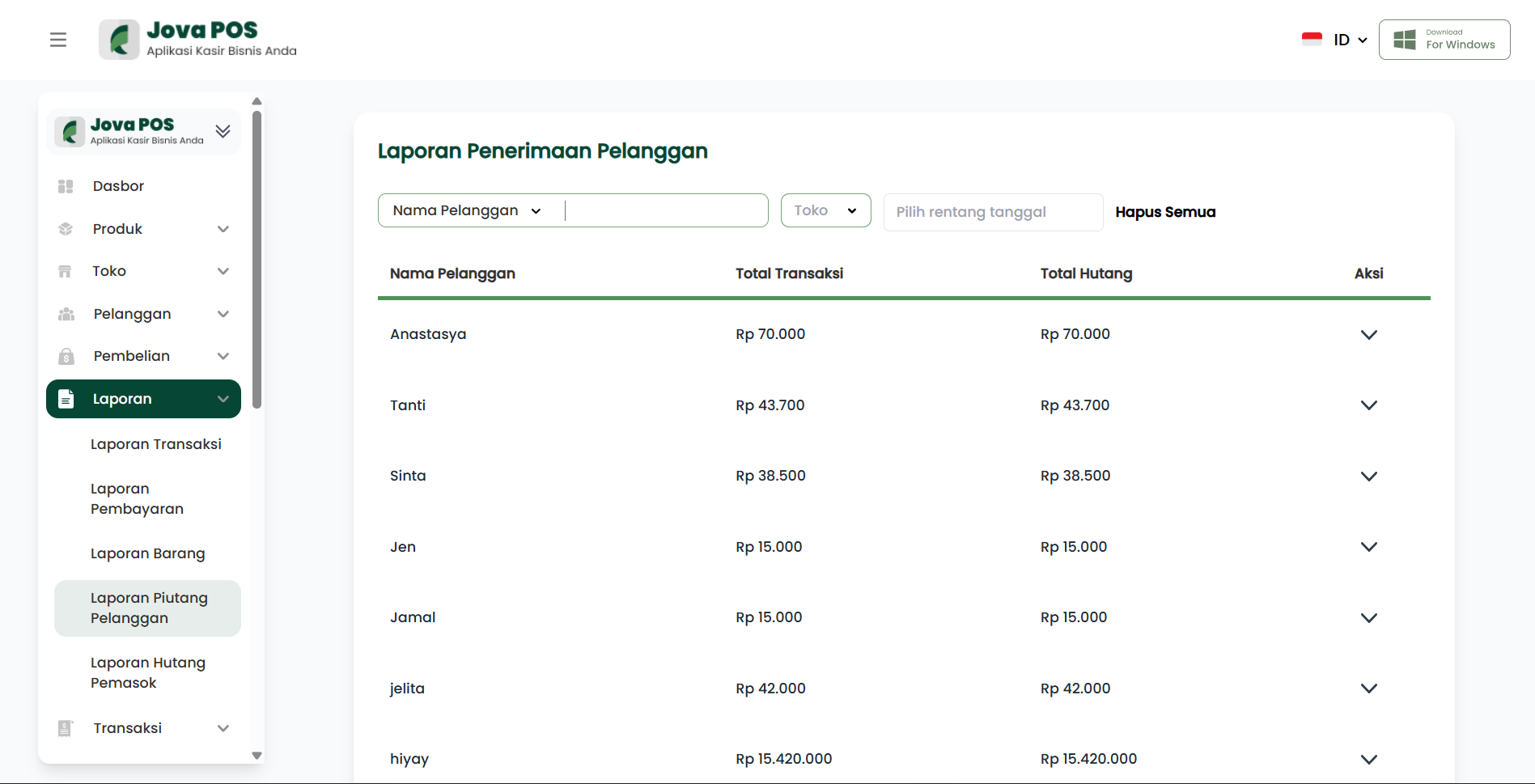
2. Summary View
On the Customer Receivable Report page, you will see a data summary as follows:
- Customer Name: The name of the customer with outstanding receivables.
- Total Transactions: The total number of transactions made by the customer.
- Total Debt: The total amount still owed by the customer.
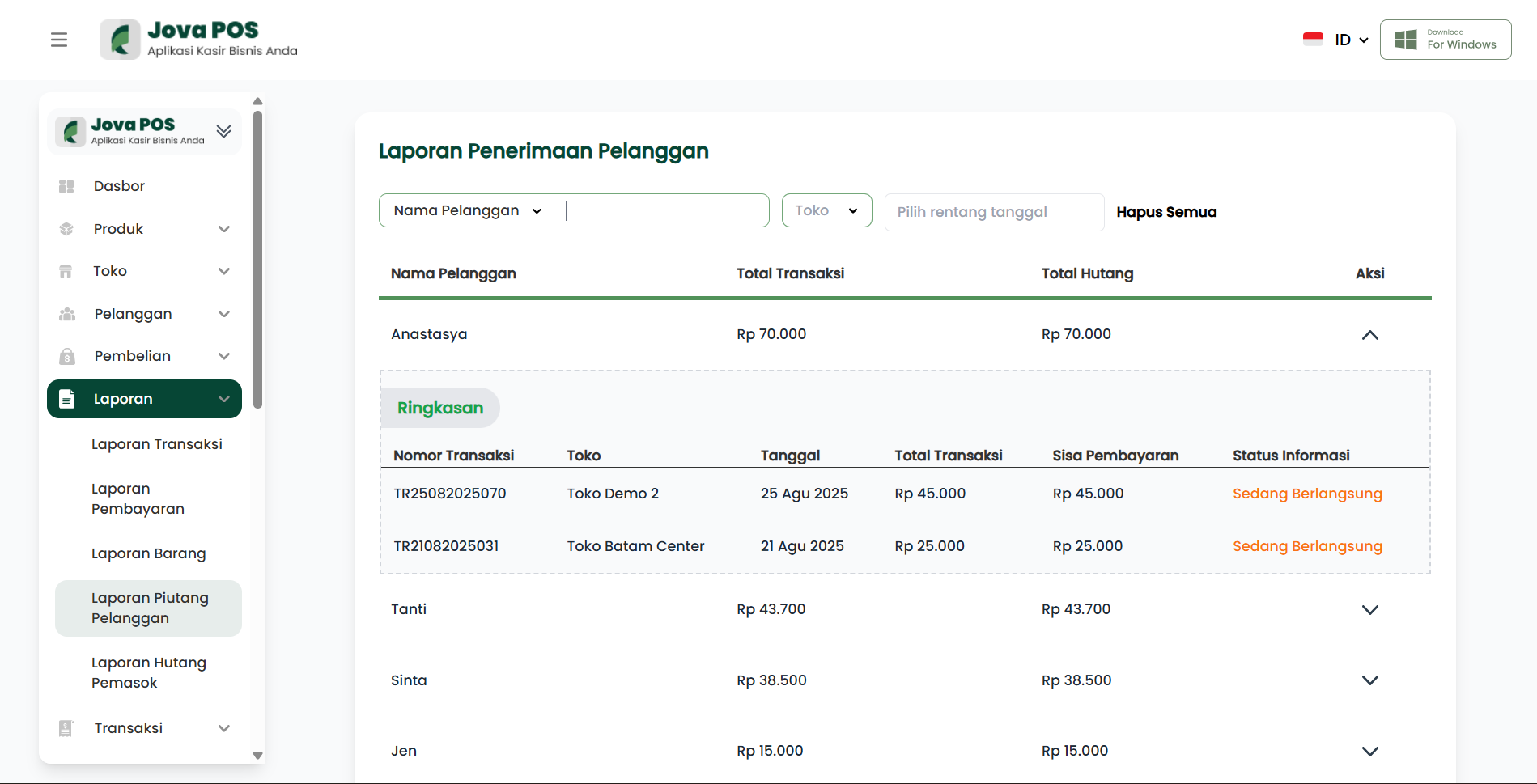
3. Viewing Receivable Report Details
To view more details for each customer, click on the customer name in the report list.
After that, you will see the following information:
- Transaction Number: The transaction number related to the customer's debt.
- Store: The store where the transaction took place.
- Date: The transaction date.
- Total Transaction: The total amount of the transaction.
- Remaining Payment: The remaining amount to be paid by the customer.
- Status: Indicates the payment status (e.g., "Ongoing" if the debt has not been paid).
Conclusion
By using the Customer Receivable Report feature, you can easily manage and monitor outstanding receivables from customers, making business financial management easier.